In many organizations, every computer gradually becomes its own configuration project. One employee installs an application to solve an immediate problem, another works with a local administrator account, and a third keeps outdated tools that nobody has reviewed. Over time, these small differences create a larger operational issue: inconsistent devices, unclear access rights, avoidable support work and a wider attack surface.
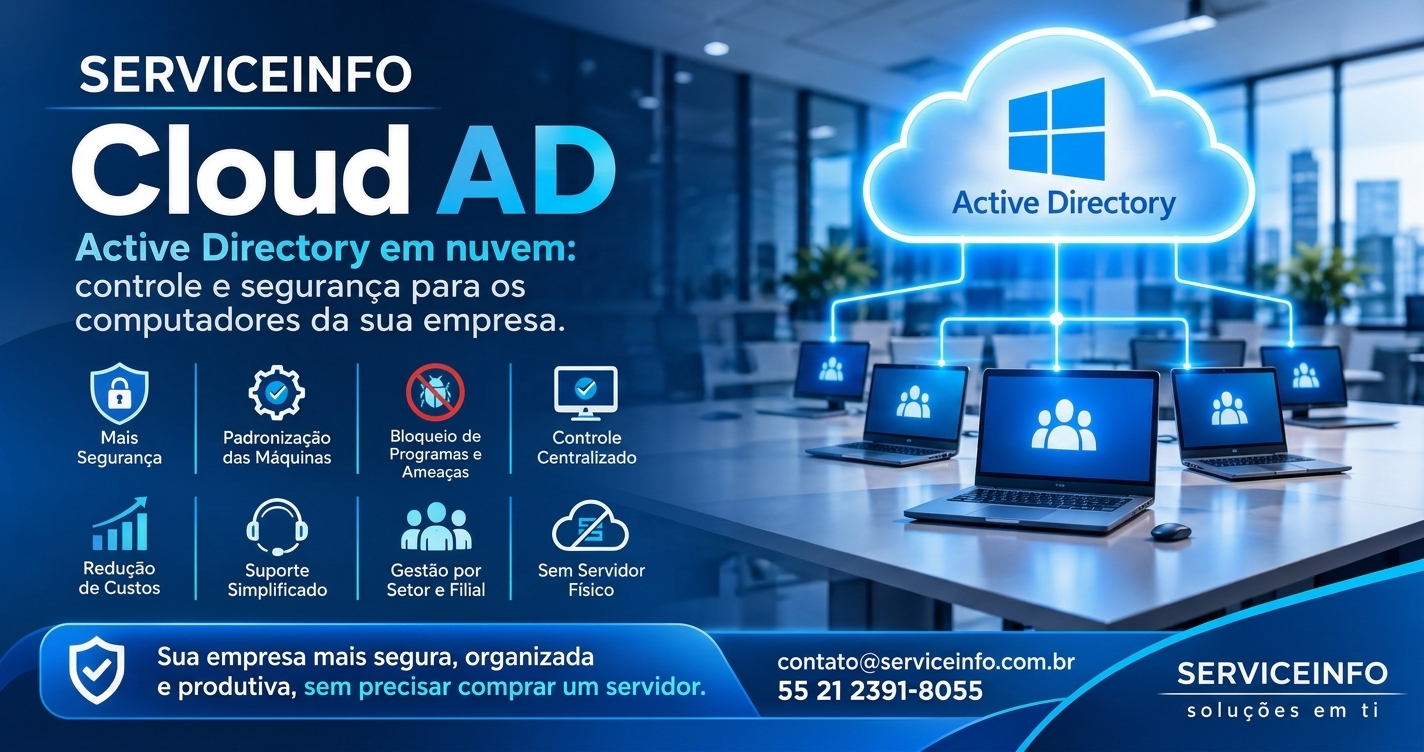
The challenge becomes more visible as a company hires people, opens branches or replaces equipment. Without centralized management, each new PC must be configured individually and security rules depend on whoever prepared it. SERVICEINFO Cloud AD was designed to help organizations bring order to this environment. Compatible Windows computers join a corporate domain and can receive centrally managed policies, while the domain controller is hosted in the cloud rather than on a physical server at the office.

What is Active Directory?
Active Directory is a directory service used to organize identities and computers across a network. Instead of treating every workstation as an isolated device, an organization maintains a central structure for user accounts, groups and computers. Once a supported PC joins the domain, it becomes part of the corporate environment and can be managed according to policies defined by the IT team.
A useful analogy is an office building with controlled access. Each employee has an identity, each device is registered, and permissions are granted according to responsibilities. The domain controller provides a central reference for authentication and policy management. The goal is not to give everyone access to everything; it is to make access deliberate, consistent and accountable.
What can go wrong when every PC is managed separately?
When users have excessive privileges and there are no common standards, organizations may face:
- Software installations without IT approval or security review.
- Execution of untrusted installers, scripts and utilities.
- Unlicensed, unsupported or incompatible applications.
- Accidental changes to network, firewall and operating-system settings.
- Security features being disabled or weakened.
- Unknown local accounts and shared passwords.
- Uncontrolled use of USB drives and removable media.
- Different configurations across computers that should perform the same tasks.
- Difficulty identifying device ownership and access to shared folders.
- Longer setup times for new or replacement computers.
- More effort required for remote support and incident troubleshooting.
- Access remaining active after an employee changes roles or leaves.
A corporate domain provides a structured way to address these problems. Instead of relying only on verbal instructions, an organization can translate its standards into technical policies that apply to selected users and computers.
How SERVICEINFO Cloud AD works
With SERVICEINFO Cloud AD, the domain controller is hosted in a cloud environment operated for the service. The company’s router or firewall establishes a site-to-site VPN connection to that environment. This creates a private, encrypted path between the local network and the cloud infrastructure, allowing authorized workstations to reach the domain services they need.
After the environment is prepared, supported computers are joined to the corporate domain. Users, groups and computer objects are organized, and policies are designed around the company’s departments and operating requirements. Rules can therefore be applied by department, user profile or device group rather than configured separately on every PC.
| Component | Role |
|---|---|
| Company workstations | Supported Windows devices joined to the domain and managed through assigned policies. |
| Local router/firewall | Establishes the site-to-site VPN to the cloud environment. |
| Cloud domain controller | Provides the directory structure for users, groups and computers and the domain services required by the environment. |
| IT management | Plans policies, administers access and maintains the environment. |
Example of a workstation on the network: consider a computer named FINANCE-01 at the main office. The router maintains the VPN tunnel to Cloud AD. The PC reaches the domain services, authenticates an authorized employee and receives the policies assigned to the Finance organizational unit. A device named WAREHOUSE-02 can belong to a different organizational unit and receive settings suited to its operational role.
Business benefits of centralized computer management
1. User and permission control
- Centralized user accounts and security groups.
- Permissions aligned with departments, roles and responsibilities.
- Less reliance on local administrator accounts for everyday work.
- Centralized disabling or blocking of accounts when required.
- More organized access to network resources based on assigned permissions.
- Clearer identification of users and company devices.
2. Standardized workstations
- Centralized application of approved configuration settings.
- Consistent operating-system and security policies.
- Windows Firewall configuration where supported and planned.
- Standard screen-lock, password and session settings.
- Restrictions on selected system tools, settings and configuration changes.
- Computer organization by department, branch, function or profile.
- Fewer configuration differences between devices doing the same job.
- A repeatable baseline for preparing new workstations.
3. Fewer unauthorized installations and executions
A major benefit is the ability to use standard user accounts without local administrative privileges for everyday tasks. With additional application-control policies, where supported and appropriate, the organization can restrict which applications, installers and scripts are allowed to run. This reduces improvised installations and makes it harder for unapproved software to enter the environment.
There is an important distinction: joining a PC to a domain does not automatically block every form of malware or every installation. Results depend on the policies selected, correct privilege configuration and complementary controls such as antivirus or endpoint detection and response, patching, firewalls, backups and user awareness.
4. Stronger security governance
- Application of least privilege: each employee receives only the access needed for the job.
- Reduced dependence on shared administrative passwords.
- More consistent authentication and workstation-use rules.
- Different policies for teams with different operational requirements.
- Fewer undocumented configuration changes.
- A stronger foundation for internal audits and periodic access reviews.
- Clearer joiner, mover and leaver processes for employee accounts.
- A more controlled baseline for company computers.
5. Productivity and IT support
- Less time spent repeating manual configuration on each workstation.
- Faster preparation of new or replacement PCs.
- More predictable troubleshooting based on a standard configuration.
- Fewer disruptions caused by unreviewed applications.
- Better planning for updates and configuration changes.
- Easier organization of devices across departments and branches.
- Improved documentation of users and computers.
Why use a cloud-hosted domain controller?
Active Directory is often associated with buying a physical server, licenses, rack space, electricity, cooling, maintenance and local technical oversight. With Cloud AD, the domain controller is hosted in the cloud, reducing the need to purchase and maintain an on-premises physical server for this purpose.
This can lower the initial hardware investment, reduce concerns about physical components in the office and make the infrastructure easier to adopt. The company still needs a suitable local network, internet connectivity and a compatible router or firewall, but it does not need to dedicate an office server to hosting the domain controller.
Cloud hosting does not remove the need for planning, monitoring, backups or access management. Internet availability and contingency procedures must also be considered. Since authentication and some domain services rely on communication with the remote environment, the design should reflect the customer’s actual operating requirements.
What does a company need?
- Windows computers with editions that support domain joining, such as Pro, Enterprise or equivalent supported editions.
- A properly planned local network, including IP addressing and DNS.
- A router or firewall supporting a compatible site-to-site IPsec/IKE VPN configuration.
- Suitable internet connectivity and a public-address or other viable connectivity scenario for the VPN.
- Local and cloud IP ranges that do not overlap.
- An inventory of users, departments, computers, permissions and desired policies.
Many business routers and firewalls include site-to-site VPN capabilities. However, compatibility should not be assumed from the brand name or from a generic VPN feature in a product description. The exact model, firmware, IPsec/IKE parameters, public IP arrangement, ISP restrictions and routing options must be checked. If the company already owns a compatible device, a replacement may not be necessary; SERVICEINFO can assess the existing equipment.
A practical example: computers organized by department
Imagine a company with three departments. Each workstation receives a consistent device name and is assigned to the relevant organizational unit. Employees sign in with corporate accounts. The PC communicates with the domain controller through the VPN and applies the policies assigned to its group. If an employee changes departments, the IT team can review the account, permissions and computer placement.
| Workstation | Department | Example policy |
|---|---|---|
| ADMIN-01 | Administration | Limit local privileges and apply corporate configuration standards. |
| FIN-01 | Finance | Apply access rules for authorized finance resources. |
| WH-01 | Warehouse | Maintain a configuration profile suited to operational use. |
This example illustrates the management model. The actual policies available and applicable are selected during implementation, taking Windows editions, platform capabilities and business requirements into account.
Important limitations and safeguards
Active Directory is not complete protection against cyber threats. Employees can still be targeted by phishing, operating systems can contain vulnerabilities, and devices can be compromised through different paths. Cloud AD should therefore be part of a broader security program that includes endpoint protection, updates, tested backups, firewalls, email security, appropriate authentication and user training.
Restrictive policies should also be introduced carefully. A poorly designed rule may prevent a legitimate business application from working or interrupt an important process. The recommended approach is to document requirements, test policies with a pilot group and expand deployment after validation.
Checklist: is Cloud AD right for your organization?
- Can employees install software without approval?
- Do everyday users have local administrator privileges?
- Do computers in the same department have different configurations?
- Is it difficult to understand who can access shared folders and network resources?
- Does preparing a new PC take longer than it should?
- Do you need consistent management across branches or remote teams?
- Do you need a better process for employee onboarding, role changes and offboarding?
- Would you like centralized management without buying a local physical server?
If several answers are yes, a technical assessment is worthwhile. Start by mapping the network, Windows editions, workstations and router, then define the policies that make sense for daily operations. A phased project with testing and clear priorities helps reduce disruption.
Conclusion: business computers need governance, not just maintenance
Organizations do not need to wait for a security incident or operational failure to bring their computers under control. Centralized management helps establish standards, reduce unnecessary privileges, clarify access and simplify IT operations. By hosting the domain controller in the cloud, SERVICEINFO Cloud AD provides a way to adopt this model without purchasing an on-site physical server, provided the network and devices meet the technical requirements.
How SERVICEINFO can help
SERVICEINFO can assess the existing infrastructure, check router and firewall compatibility, plan the site-to-site VPN and structure the cloud Active Directory environment. Implementation takes users, computers, departments and required policies into account, with the goal of making management more consistent and aligned with the company’s operations.
If your organization wants to reduce unauthorized installations, standardize workstations and improve access control without maintaining a physical server on-site, contact SERVICEINFO. Our team can review your current environment and recommend the next steps for a planned Cloud AD deployment.